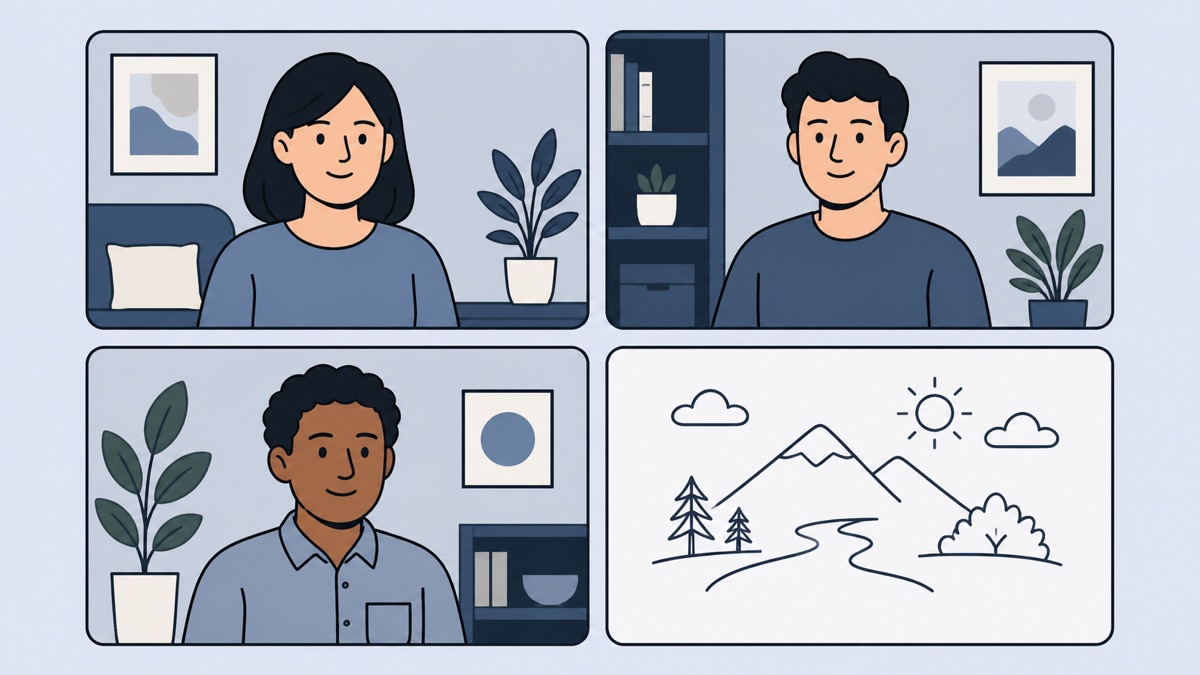
A remote team drawing game works because the task is visible, shared, and unrelated to job status. Everyone faces the same small communication problem: make an idea recognizable with rough lines, or identify it before the picture is complete. That creates natural reactions without demanding personal disclosure.
The activity can also go wrong if it feels compulsory, confusing, or longer than promised. Good facilitation matters more than artistic skill. Tell people what will happen, provide a direct private-room link, and make it safe to draw badly. Rakuga runs in the browser without an account, which removes much of the setup friction.
The five-minute opener
Use the shortest format at the start of a regular call. Open the room before the meeting, place the link in the invitation or chat, and invite people to join with a recognizable name. Explain the loop in one sentence: one person draws a secret word while everyone else guesses in the game chat.
Keep expectations modest. This is a warm start, not a tournament. Play only enough rounds for the group to understand the rhythm and share a laugh. Stop while the energy is still high. A clean ending builds trust that future icebreakers will respect the calendar.
If someone joins late, let them observe and enter naturally. Do not restart the explanation for the whole room. A short note in the meeting chat is enough: follow the link, pick a name, and guess what is being drawn.
The fifteen-minute team break
The medium format fits a social block between agenda items or at the end of a weekly call. Give the group time for everyone to draw or participate across several turns. The facilitator should join as a player but keep an eye on pace, access issues, and anyone who has gone quiet.
Add one light theme if it suits the team, such as travel, food, office life, or weekend activities. Do not force custom prompts if the room works better with its normal flow. The theme is a conversation spark, not a test of company knowledge.
After the game, leave a small space for reactions. Ask which clue was unexpectedly clear or which wrong answer made the group laugh. Avoid turning the debrief into a performance review about communication. Let the social moment remain social.
The thirty-minute social session
A longer session benefits from a beginning, middle, and ending. Start with a low-pressure practice round. Continue with the main game once everyone understands the controls. Finish with a final stretch announced in advance so the session does not drift.
For a larger team, consider multiple private rooms. Smaller groups give each person more chances to draw and reduce the flood of guesses. Bring everyone back to the main call afterward to share favorite moments. This preserves intimacy without splitting the social experience completely.
Plan a fallback for anyone who cannot use the game on their device. They can watch a shared screen and speak guesses in the call, pair with a colleague, or participate only in the conversation. Inclusion matters more than perfect scoring.
Include people who say they cannot draw
Take the concern seriously without making it a spotlight moment. Say that the goal is recognition, not quality, and demonstrate with a deliberately simple clue. A stick figure, box, arrow, and a few context lines can communicate more effectively than detailed artwork.
Give the whole group a useful strategy: draw the category first, then one distinctive feature, then the setting. That advice helps anxious participants and improves the game for everyone. It frames drawing as structured communication instead of talent.
Do not insist that a reluctant person must take a drawing turn to prove they can do it. They can guess, observe, or pair up if the group agrees. Voluntary participation creates better energy than playful pressure that does not feel playful to the recipient.
Choose the right audio setup
Keep the work call open for reactions, but use the game chat for actual guesses. Rakuga has no voice chat, and separating those channels prevents overlapping spoken answers from becoming hard to follow. Remind players not to say the answer aloud after they solve it.
The drawer can remain on the call but should not narrate the clue. Laughter and brief reactions are fine. Extra verbal hints change the game and may leave people with slower audio connections at a disadvantage. The canvas should carry the information.
If audio becomes chaotic, the facilitator can invite everyone to mute briefly during a drawing turn and unmute between turns. This is rarely necessary for a small group, but it can rescue a larger session where enthusiastic commentary hides the social cues.
Avoid common facilitation mistakes
Do not surprise people with a long activity. State the planned duration in the meeting note. People can then join with the right expectation and avoid worrying that agenda time is disappearing.
Do not make the score the main story. Competitive players will notice it anyway. The facilitator should celebrate clever clues and funny interpretations as much as the ranking. A social game succeeds when people engage, not when one person dominates.
Do not use the activity to evaluate employees. Drawing speed, willingness to perform, or guessing style says little about work quality. Treat the session as recreation. If the team needs communication training, design that as a separate, explicit activity.
Do not ignore time zones and accessibility. Rotate optional social sessions when the team spans regions. Offer a shared-screen path and explain controls in plain language. Local notifications and device settings may differ, so rely on the visible room state rather than alerts.
Make joining effortless
Create the private room before the call and test the link. Put the same link in one obvious place. Asking people to search through several chat threads creates avoidable delay. Since no account is required, the main steps are choosing a name, selecting an avatar, and entering the room.
Have the facilitator join early from the device they will actually use. Check that the meeting window and game can sit comfortably together. On a small screen, switching between the call and browser may be easier than squeezing both side by side.
Begin only after explaining where guesses belong and how the drawing turn works. A tiny amount of structure lets the group relax. Once the first picture appears, the game teaches itself quickly through participation.
End with a clean handoff
Announce the final round before it starts. When it ends, acknowledge the group, share one genuine favorite moment, and move to the next agenda item or close the call. Avoid extending the game through repeated “just one more” requests unless the calendar clearly allows it.
A remote icebreaker should lower social friction, not add operational friction. Use a private link, respect the promised duration, make rough drawing normal, and give people several ways to participate. The result is a shared memory that feels spontaneous even though the setup was thoughtful.
Open a private room for your next team call.
🎨 Play Rakuga